
xShatter FX Simulation
Maya’s Most Artist Friendly Demolition And Explosions Dynamic Simulation Tool
xShatter FX Simulation 2.0 Allows You To
| Create Demolition Simulations | Create Dust FX Simulations |
| Create Directional and Standard Explosion Simulations | Create Smoke FX Simulations |
| Create Destruction Simulations Easily | Freeze Dynamics at Any Point in Time and Convert Them Into Static Objects |
| Shatter Objects Into Chunks/Pieces in Seconds | Create Space Type Dynamic Effects and Much More… |
| Create Magic Type Effects |
Easily Create Complex Simulations in Minutes Using xShatter FX Simulation For Maya
Very easy to use, yet incredibly powerful dynamic simulation tool that will allow any Maya artist from beginner to advanced users to create incredible VFX simulations very quickly without any previous knowledge of dynamics at all.
There is very few settings to adjust and these settings are very easy to understand and use.
Have full artistic control over the dynamic simulation.
Introducing Poly Shattering Generator 2.0
Shatter Thousands of Objects Quickly.
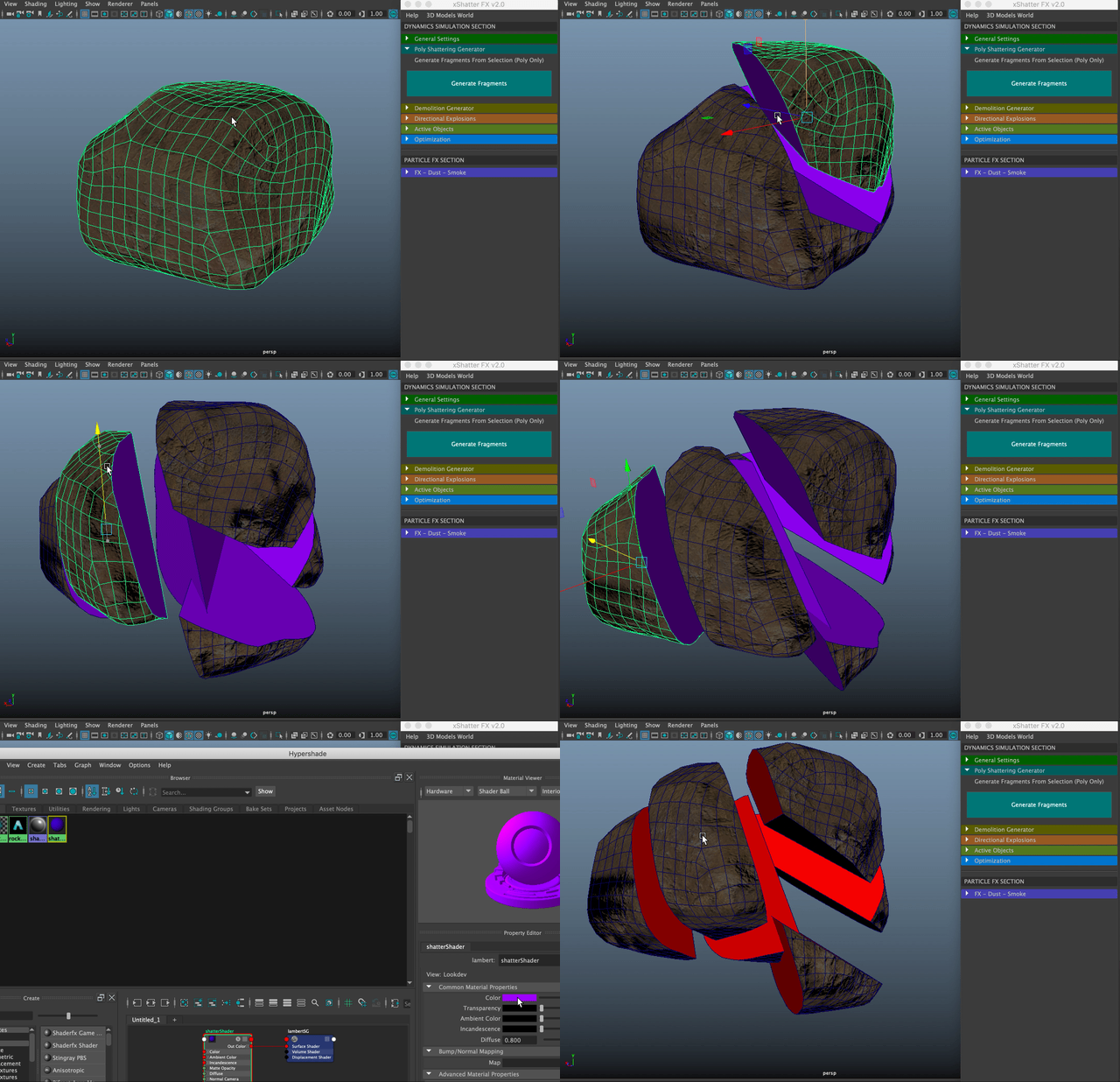
Select One or More Objects then Press Generate Fragments.
Fragments Will Have a New Custom Material Applied to Them.
Each Fragments in the Scene Can Use a Different Material. Just Rename the ShatterShader to Another Name. Tool Will Generate New Shader for the Next Fragments.
Poly Shattering Generator 2.0 is Part of the xShatter FX Simulation.
Shots Created Using xShatter FX Simulation
xShatter FX Simulation 2.0 have major performance improvements and new cool features. that will take the demolition and destruction simulations to the next level.
Have Full Creative Control Over Your Dynamic Simulations Using xShatter FX

Whats Included:
.ZIP File Contains the Tool with Shelf
0.5K to 3K Smoke Textures with Different Colors
20GB of High Resolution Smoke Textures
Installation Notes
Full Documentation and Live Support
Once you purchase the xShatter Fx Simulation tool you will access and download over 7000 smoke textures ranging from 512 pixels to 3K (20GB) these smoke textures are very unique and come in different colours, White, Black, Grey and Brown the file format is “.TIFF” with alpha channel included for easy implementation.